
Iceberg, The Right Idea - The Wrong Spec - Part 2 of 2: The Spec
Let us finally look at what is so wrong with the Iceberg spec and why this simply isn't a serious attempt at solving the metadata problem of large Data Lakes.


Let us finally look at what is so wrong with the Iceberg spec and why this simply isn't a serious attempt at solving the metadata problem of large Data Lakes.

Iceberg: The great unifying vision finally allowing us to escape the vendor lock-in of our database engines. One table and metadata format to find them ... And in the darkness bind them!
I love the idea! But I loathe the spec.
In this post, I’ll explain why you should be deeply skeptical of Iceberg as it exists today. I’ll argue that its design flaws are so severe, we're watching a new HADOOP-style disaster unfold in real time.
My reaction is visceral, but not simple. It requires a historical lens, which is why we must split this into a historical and a current day part. (Also, splitting it gives LinkedIn followers time to bring out their pitchforks)
It is difficult to find words that accurately describe the cruelty, selfishness and outright evil on display from the White House these days. The guiding principle of Gordon Gekko: "Greed.. is GOOD", has finally reached a crescendo. As long as you are greedy - you can be above the law and the sickness of our society is refleced in the mentally deranged leaders we elect.
I think we must accept that it is possible to have a coherent world interpretation through the lens of "Might makes Right". It's the way sociopaths view others, it is the system that dictators will have you accept. In such a world view, "trust" simply does not exist - except in the short term wielding of power to create fear. In a might makes right world - every transaction is a zero sum game. To have a winner, there must be a loser.
You can choose to submit yourself to might - or you can fight back. Today, I want to talk about a few bugs in the "might is right" based world view that we can exploit as engineers. Hopefully, we can grapple together on how we can collectivity dignify our species again.

Why is the IT industry obsessed with decoupling?
Does breaking systems into smaller parts you can understand individually really make them easier to manage and scale?
Today, we explore the pitfalls of this obsession and draw lessons from nature and other fields of engineering. As always, this will be a controversial take - if it wasn't, why would you bother reading this instead of some LLM generated nonsense on LinkedIn?
Python has now infected computer science departments and data analysts across the planet. The resulting ecosystem is a mess of libraries - that are often poorly designed out outright harmful.
Recently, I have had to write a few libraries of my own and this has taught me a lot about what makes a good Python library. In this series of blog entries, I will share this knowledge and tell you about the lessons I learned so you don't have to suffer through them.

In my last post about high speed DML, I talked how it is possible to modify tables at the
kind of speeds that a modern SSD can deliver. I sketched an outline of an algorithm that
can easily get us into the >10GB/sec INSERT speed range (with an array of SSD). With the right hardware and a low
latency transaction log - we may even reach into the 100GB/sec range for DML. That's without
scaling out to multiple nodes.
But, we also saw that when we DELETE or UPDATE data, it leaves behind tombstones in the data,
markers that tell us: "This data is dead and no longer visible". I alluded to the problem of cleaning up these data
graves.
It is time to talk about cleaning up these tombstones. Get your shovels ready - because the work we are about to do will be unpleasant.

After a brief intermezzo about testing (read about my thoughts here: Testing is Hard and we often use the wrong Incentives) - it is time to continue our journey together to where we will explore databases and all the wonderful things they can do.
To fully enjoy this blog entry, it will be useful if you first read the previous posts:
Let's get to it...

I have been spending a lot of time thinking about testing and reviewing testing lately. At a superficial level - testing looks simple: Write test matrix, code tests, run tests, learn from results, refine. But we often overlook the nuances.
Today, I take a break from my usual talk about databases to share my thoughts on test incentives, CI/CD, unit testing and system level engineering.

We have previously seen that optimising database CPU usage requires a solid foundation in computer science and algorithms. To properly scale queries - you must master single threaded, classical algorithms as well as modern concurrency and high speed locking.
Today, we take a break from the heavy computer science algorithms and zoom into transaction logs - a crucial component of every database. Our journey is to the land of I/O and hardware knowledge.
On the surface, the problem we try to solve appears simple and straightforward. But at this point, you know that this isn't how we travel together.
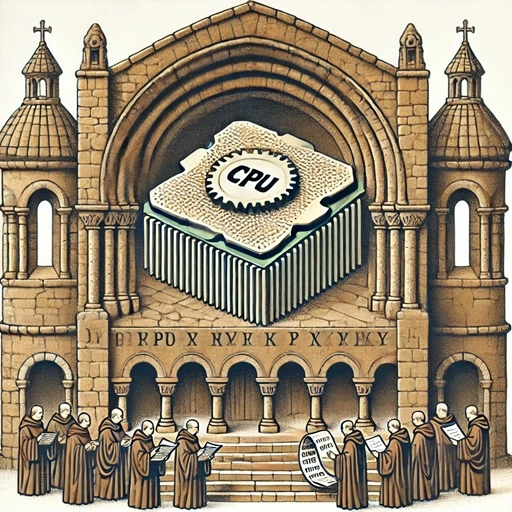
In our previous blogs, we have visited the idea that "databases are just loops". At this point, my dear readers may rightfully ask: "if those database are indeed just loops - why is it they are so hard to make?" "Why have we not nailed databases once and for all?" The answer is complicated - but I want to take a stab at it.
Today, we look at the CPU usage of databases - delving deeper into what those loops actually look like. We will see how you use "just loops" thinking to make predictions about what database you want to deploy. You will learn how to sanity existing database platforms - to cut through all the bullshit in the market.